PROJECT OVERVIEW
Modernizing KOVO’s Admin Platform
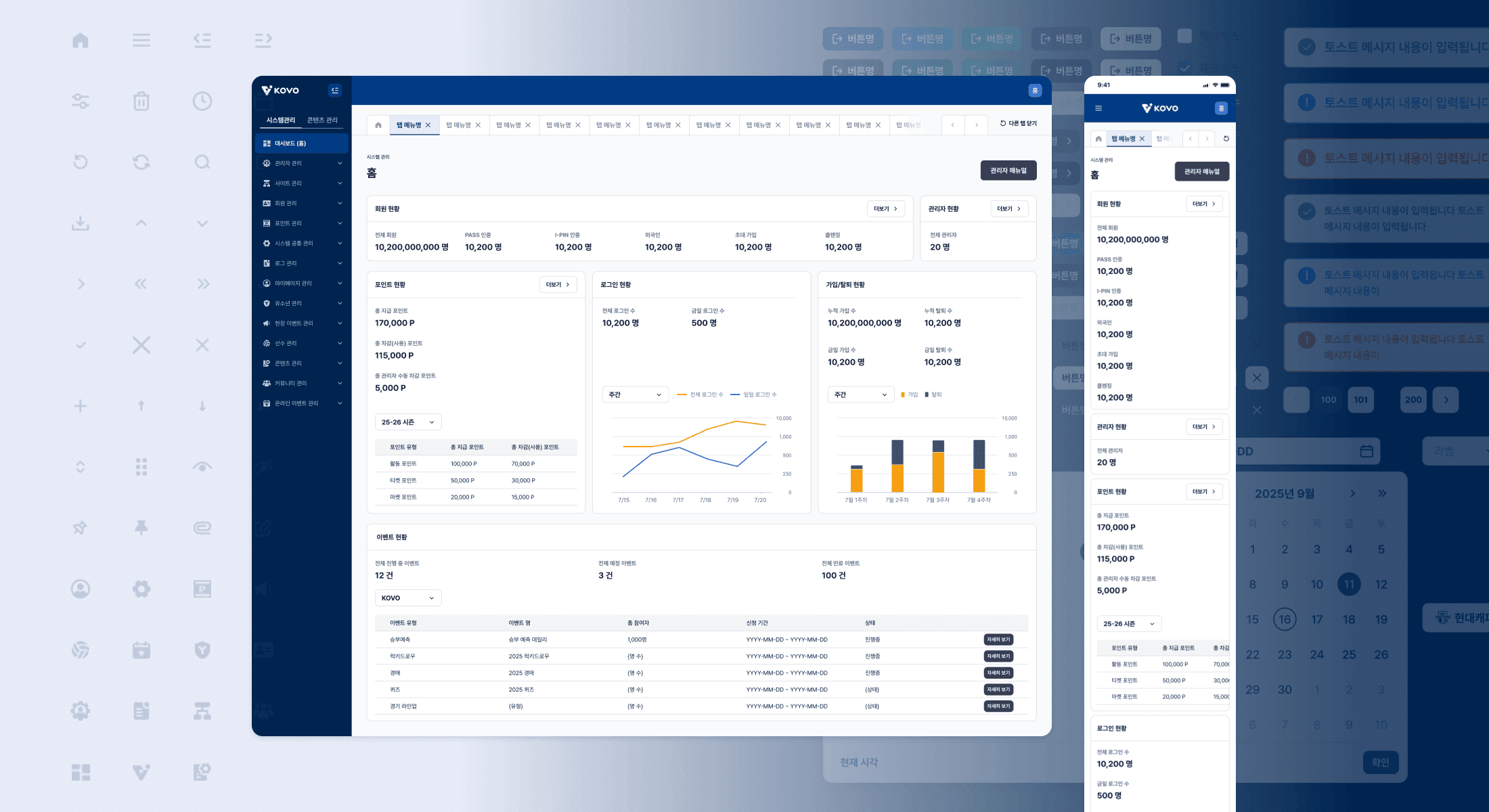
KOVO, Korea’s official volleyball federation, needed to modernize their administrative platform to support expanded functionality and mobile accessibility. Working alongside a lead designer, I co-created a comprehensive design system and redesigned the admin platform from the ground up, delivering 16 admin sections (200+ screens) across both desktop and mobile web within a 30-day sprint.
MY ROLE
Co-Designer & Systems Architect
Responsibilities
Co-designed 200+ admin interface screens across 16 sections for KOVO’s modernized platform
Built foundational component library in Figma to ensure design consistency across all admin sections
Designed admin interface screens for all management features (events, members, players, community, content, and system operations)
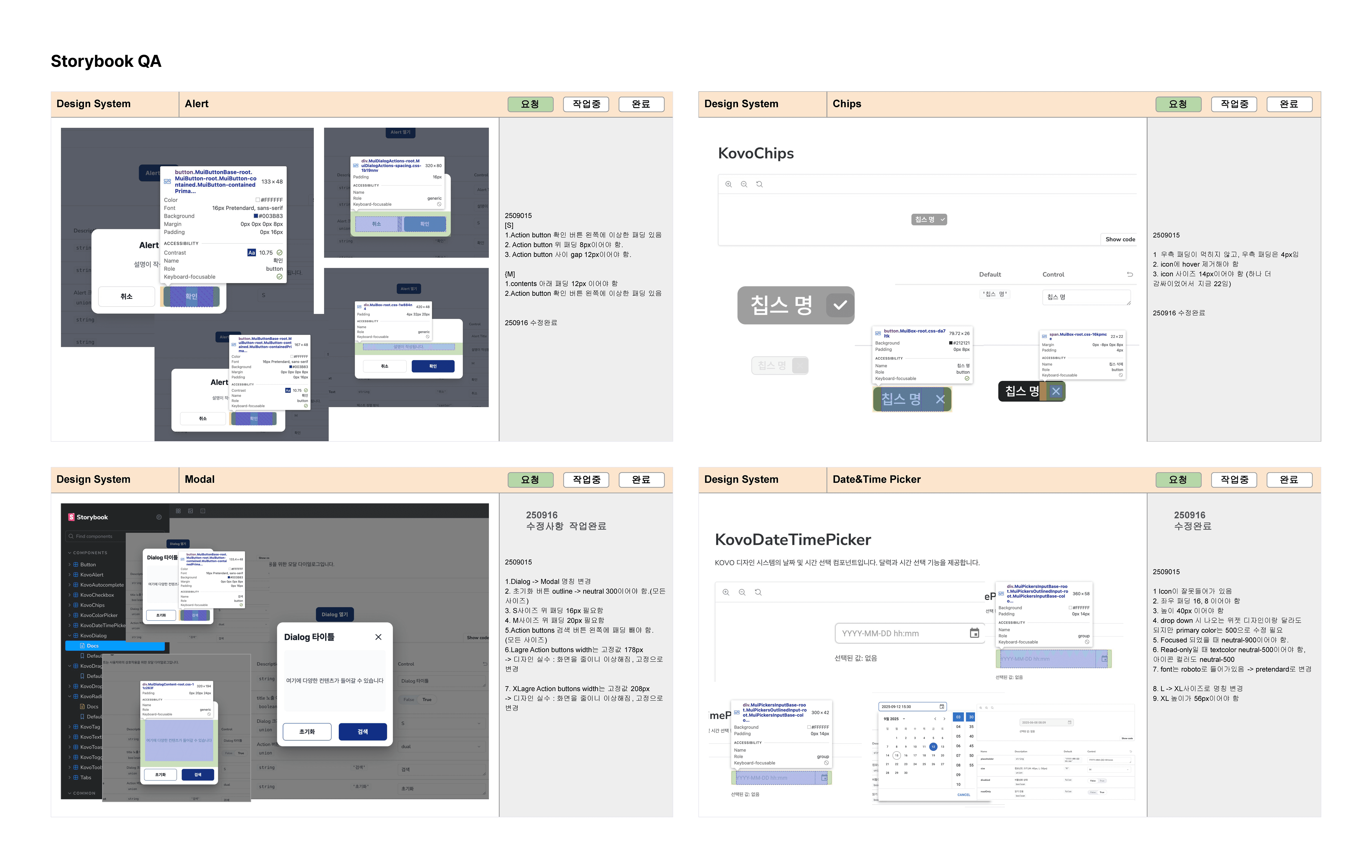
Collaborated with development team during Storybook implementation, conducting QA on coded components
DESIGN PROCESS
From Requirements to Implementation
Collaborative Design Approach
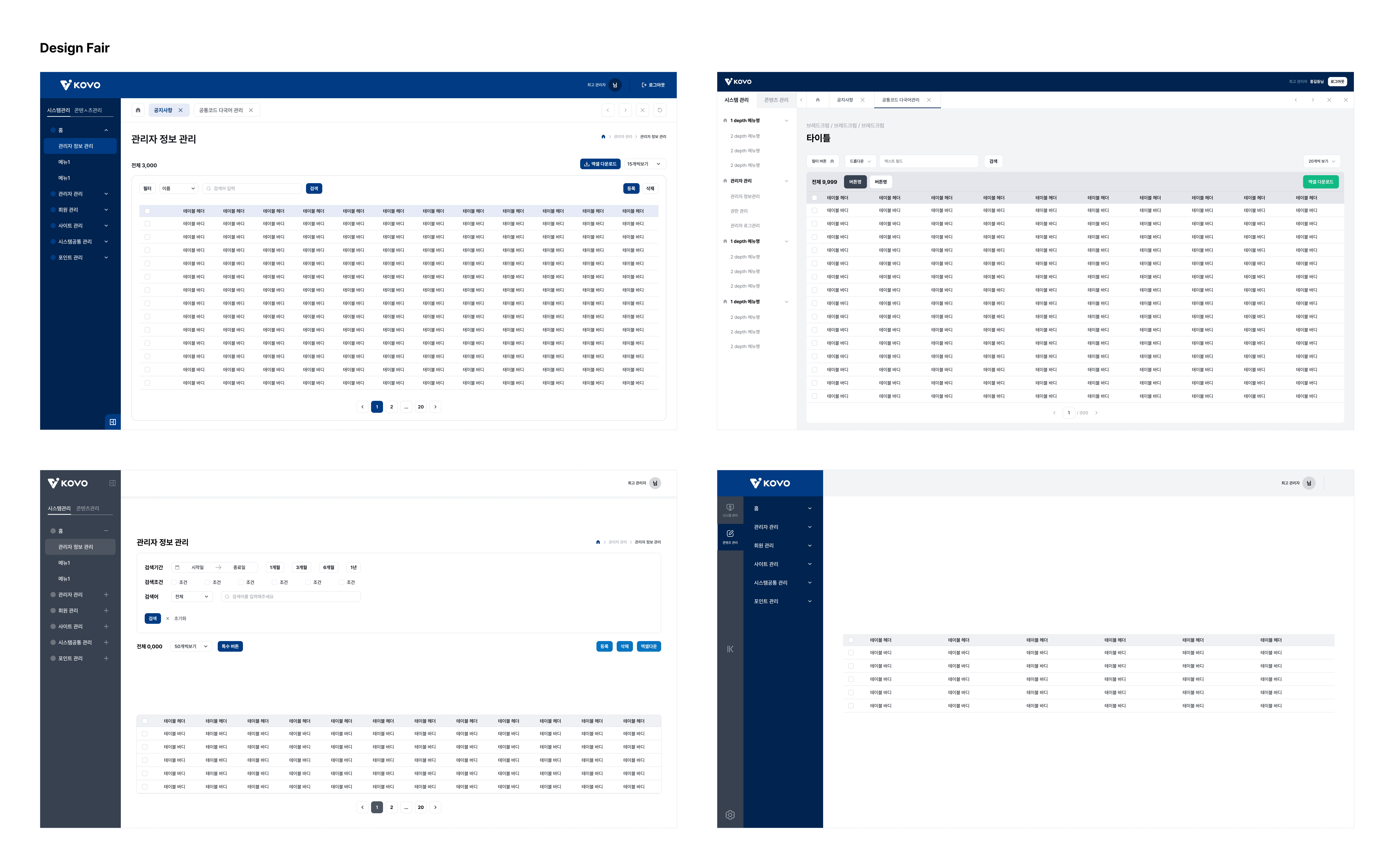
The lead designer and I collaborated through design fairs, taking turns sketching UI concepts for 5 minutes each, passing designs back and forth and building on each other's ideas until we landed on a layout we were both satisfied with. This approach ensured we explored multiple directions efficiently across all 16 admin sections.
Design Tokens
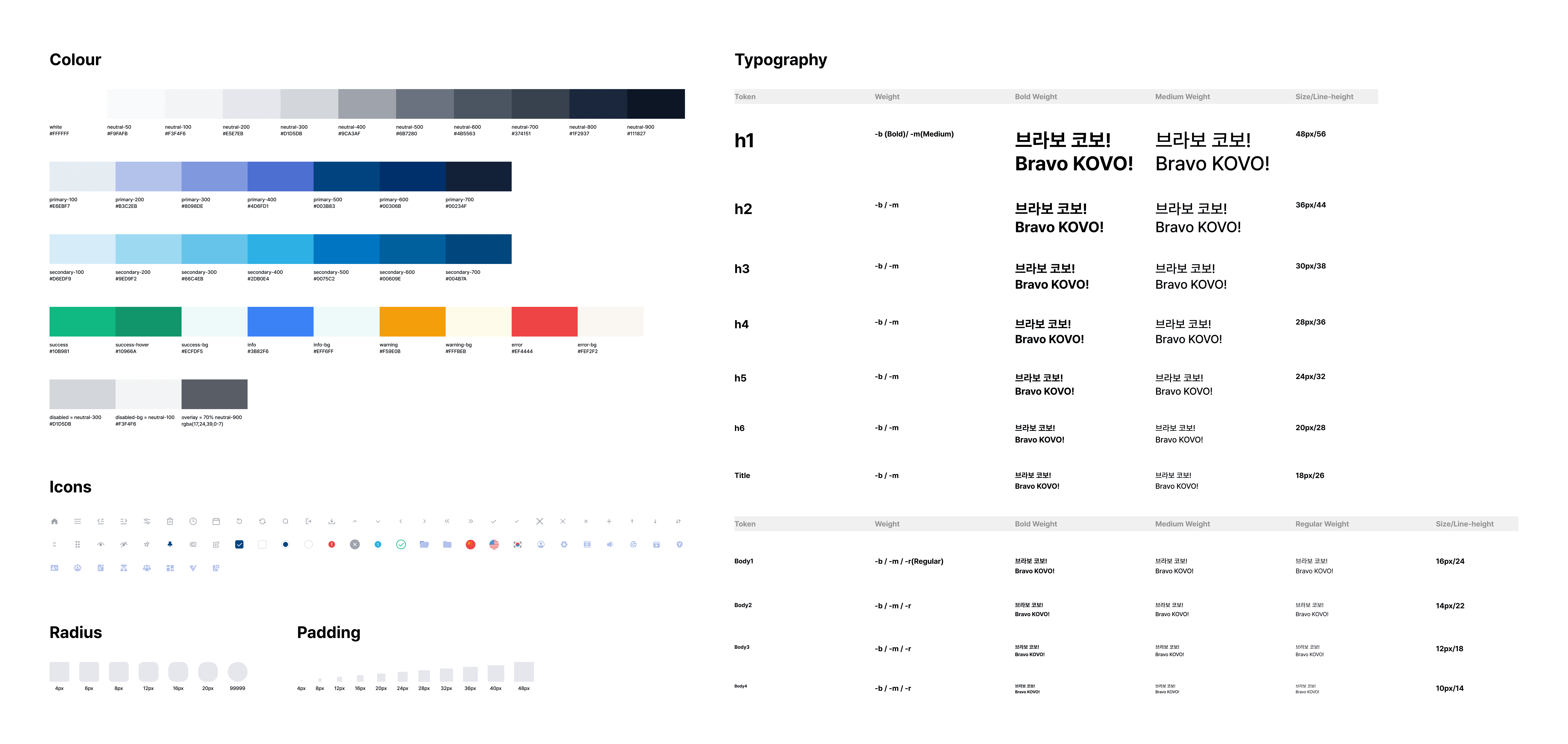
We defined reusable design tokens to ensure consistency across the platform:
Colour & Typography: Leveraged KOVO’s brand colours and selected Pretendard for Korean/English language support
Spacing: Implemented 4px-based system (rather than 8px) to accommodate dense data tables while maintaining visual hierarchy across breakpoints
Icon Set: 60+ custom-designed icons supporting all admin functions
Accessibility: Colour choices support readability and interactive elements are sized for comfortable interaction
the DESIGN system
A Comprehensive Component Library
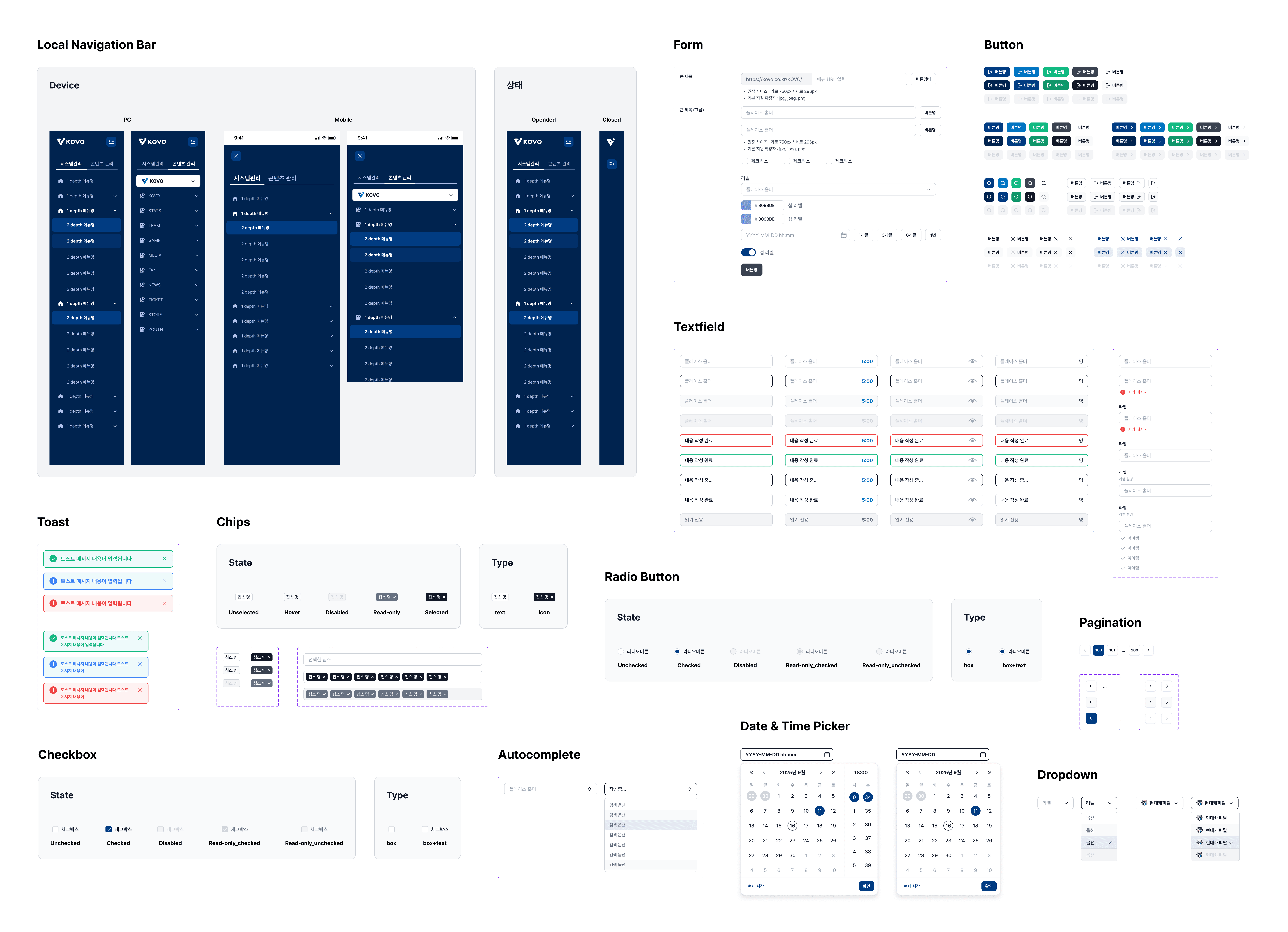
I designed a complete component library (20+ components) organized into form inputs, navigation, interactive elements, and feedback systems. Each component included multiple states and responsive behaviour patterns to support complex data-heavy admin workflows across all 16 sections.
Component Library
Input Fields:
Textfields, dropdowns, date pickers, radio buttons, checkboxes, toggles, search
Navigation:
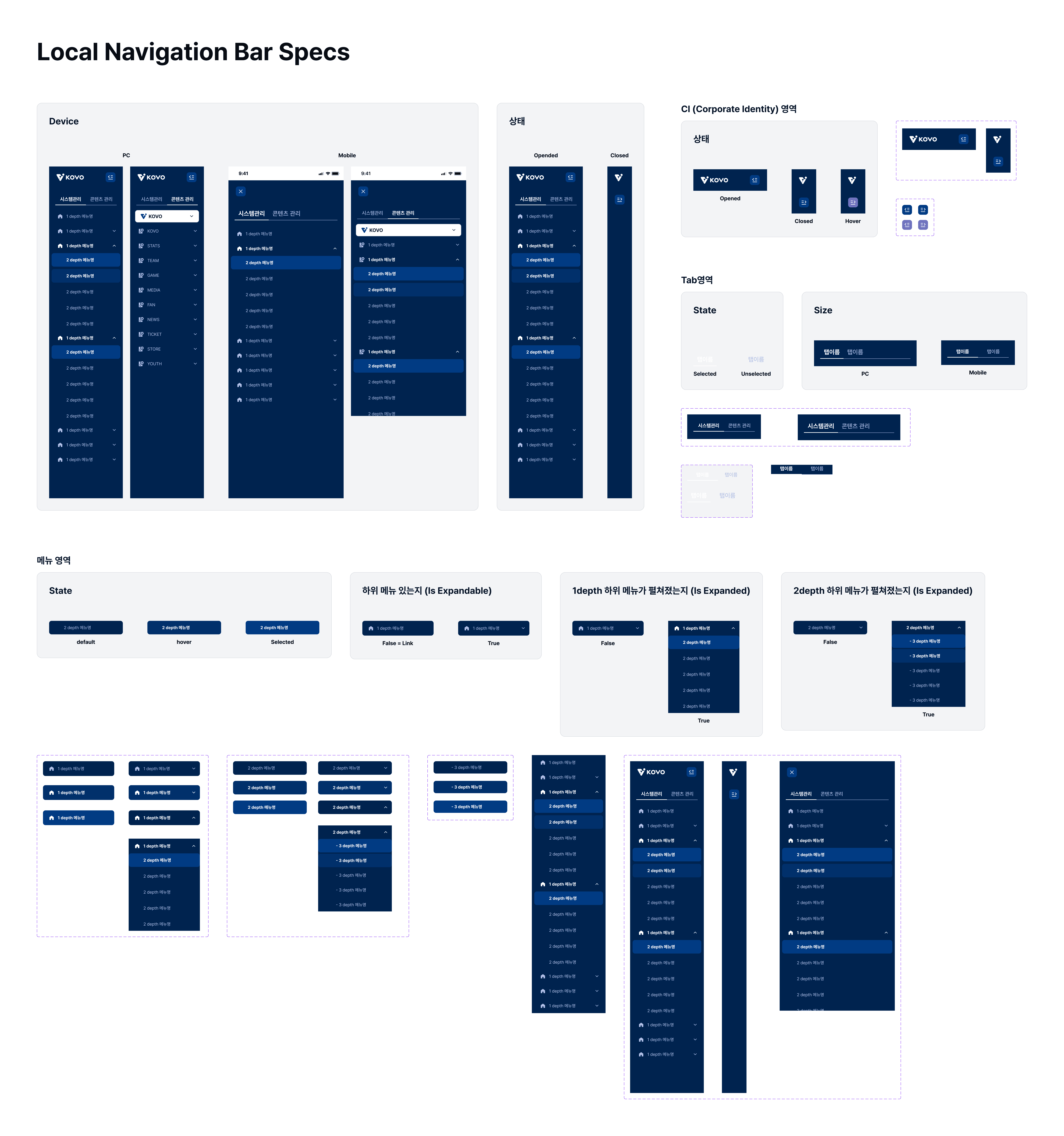
Global/local nav, breadcrumbs, tabs, pagination, tables
Interactive:
Buttons (primary/secondary/tertiary), drag & drop, tooltips
Feedback:
Alerts, modals, toasts, tags, chips
Text Field System
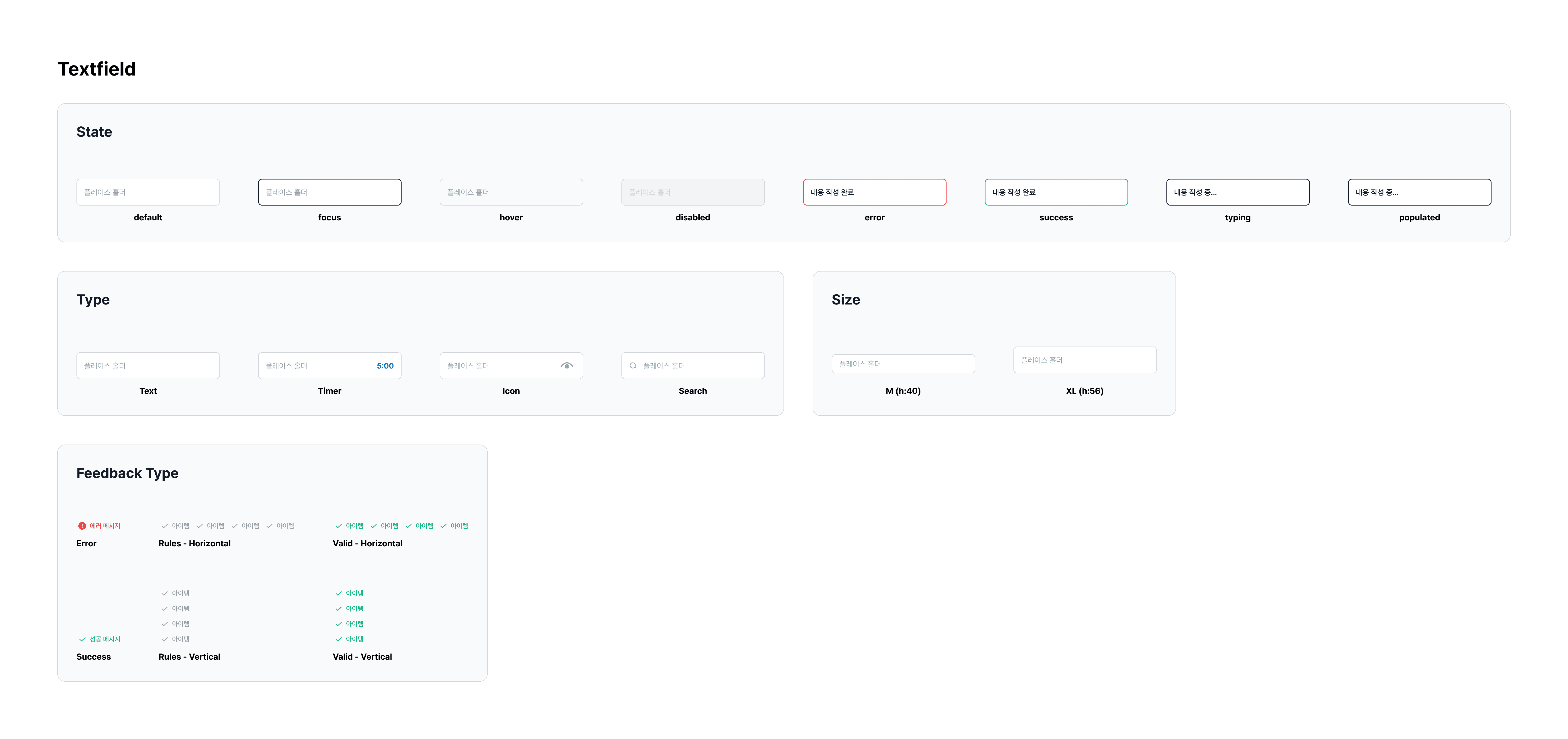
The text field component was designed as a flexible system supporting multiple states, types, sizes, and feedback patterns to accommodate diverse admin workflows:
States: Default, focus, hover, disabled, error, success, typing, populated
Types: Text, timer, icon, search
Sizes: M (h:40), XL (h:56)
Feedback: Error and success validation with horizontal and vertical rule display options
ADMIN PLATFORM
16 Responsive Admin Sections
Using the component library, I designed 16 comprehensive admin sections spanning all aspects of KOVO’s operations. Each section was optimized for both desktop and mobile workflows through our collaborative design-fair process.
Feature Categories
The platform encompasses core operations, content management, and volleyball-specific features:
Core Operations:
Dashboard, Login, Member Management, Admin Management, Site Management
Content & Community:
Online Events, On-site Events, Content Management, Community Management, Push Notifications
Volleyball-Specific:
Player Management, Youth Programs, Points/Rewards System
System Administration:
Logs, My Page Settings, System Utilities

Responsive Design
Every admin section functions seamlessly across devices. Complex data tables adapted to mobile through responsive layouts and restructuring; touch-optimized controls ensured easy interaction on smaller screens; and all critical functions remained fully accessible regardless of device.
IMPLEMENTATION
Design to Development
Documentation & Handoff
Components were documented with detailed Figma annotations—including spacing specifications, responsive behaviour rules, and variant properties. Both desktop and mobile versions were created with minimum/maximum widths set to ensure proper adaptation across breakpoints.
Quality Assurance
Coded components in Storybook were inspected through side-by-side comparison with Figma designs, checking padding, font sizes, colours, and responsive behaviour. Discrepancies were documented with screenshots and detailed notes in a shared Google Slides file for developer resolution.
Collaborative Process
Close collaboration with the lead designer ensured design consistency across all components and screens. All communication with the design lead and development team was conducted in Korean, including feedback sessions and wireframe revisions.
Impact
Delivering at Scale and Speed
Project Delivery
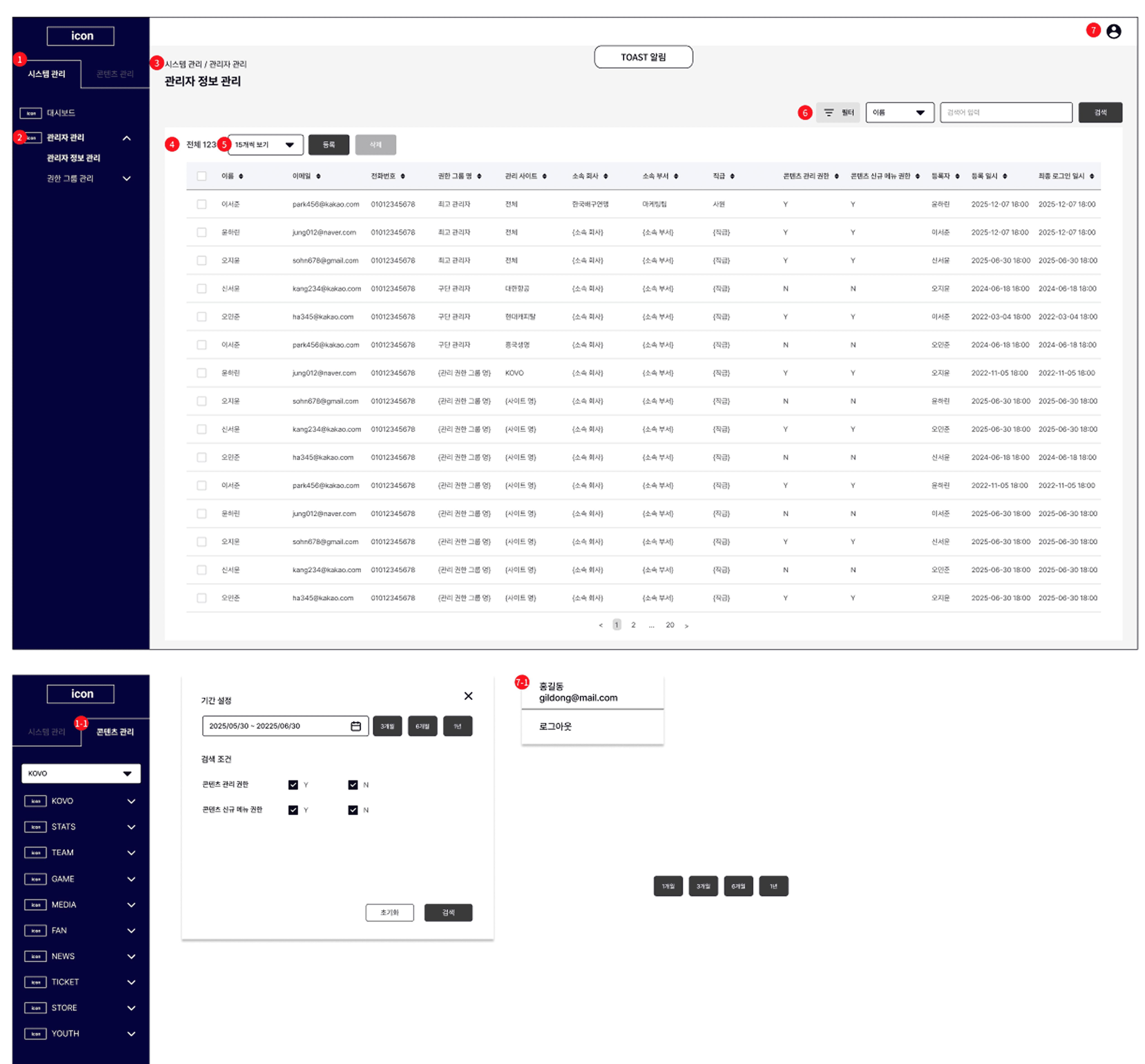
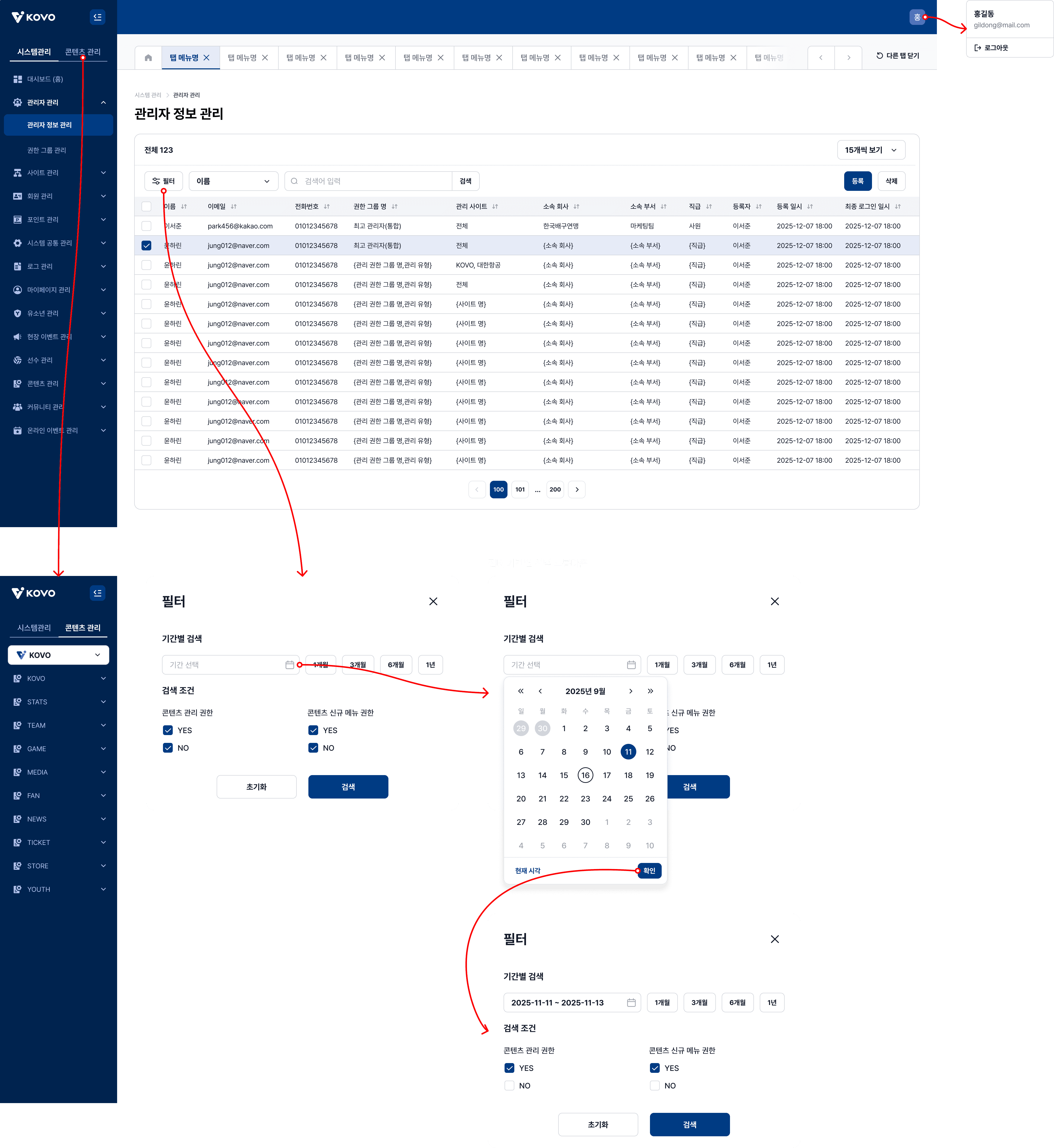
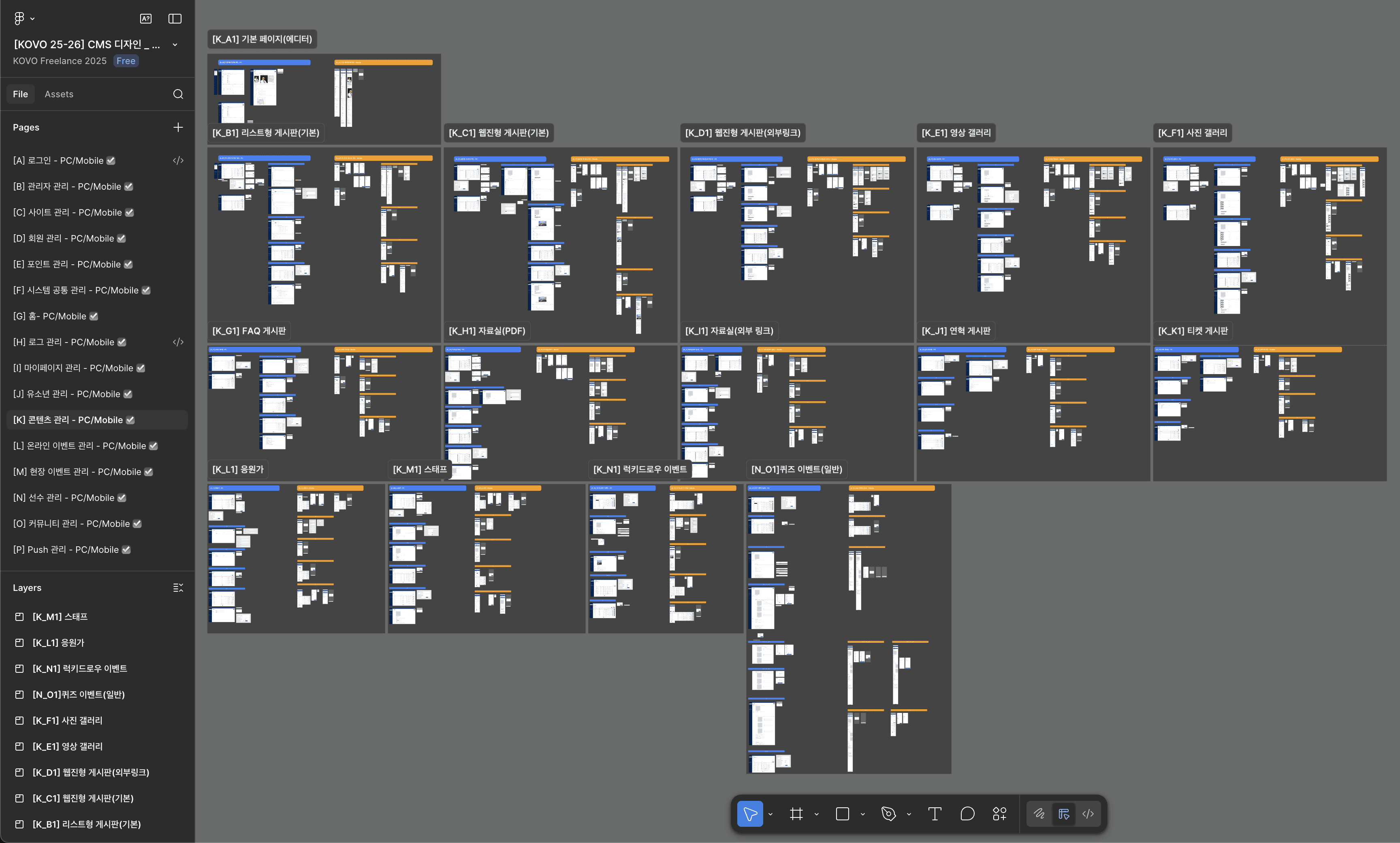
I delivered 55 distinct admin pages with multiple workflow variations (delete, register, edit/view, language switch) for each section, resulting in 200+ total screens across desktop and mobile. The KOVO team praised our speed in delivering this large volume of screens within the compressed 30-day timeline, with designs and content consistently reviewed and approved throughout the process before final handoff to developers.
Before
After
Component Reusability
The component library significantly accelerated design efficiency. Core components like text fields were reused across forms and dropdowns to display various states (success, error, loading), while buttons, icons, and navigation elements were deployed consistently across all admin sections. Because components were built as variants in Figma, updates propagated automatically across all 200+ screens—saving substantial time during iterations and ensuring design consistency.
Examples of Component Reuse:
Text field component adapted for forms, dropdowns, and state variations
Icon system deployed across all 16 admin sections
Button variants (primary, secondary, tertiary) used consistently throughout platform
Post-Delivery
Following project completion and handoff, the designs were delivered to the development team for implementation. While I don’t have visibility into the live admin platform (backend system), the urgent timeline and iterative approval process throughout the project suggest the designs were prioritized for rapid deployment.
Reflection
What I Learned
Building 16 admin sections taught me the value of systematic thinking and tight collaboration. The design-fair process let us iterate quickly without sacrificing consistency. Creating a component library flexible enough to work across such diverse use cases reinforced why designing for desktop and mobile simultaneously is more effective than adapting one after the other.
Key Takeaways
Design systems require balancing flexibility with consistency—components must adapt to diverse use cases while maintaining visual coherence
Collaborative design processes like design fairs surface better solutions faster than working in isolation
Designing for dual platforms simultaneously ensures neither experience is compromised